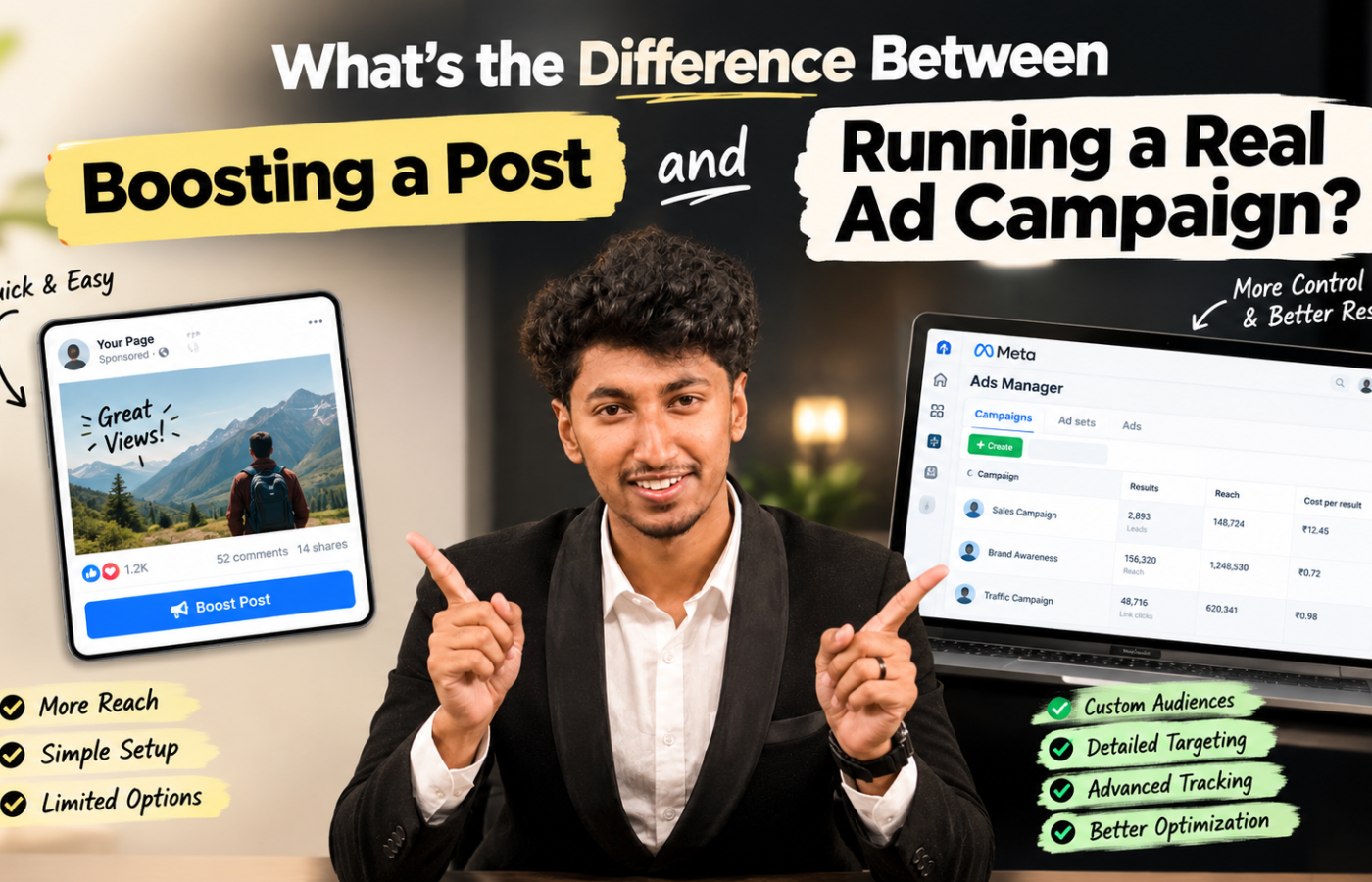
What’s the Difference Between Boosting a Post vs Running a Real Ad Campaign?

Boosting a post is a simplified, one-click way to pay Instagram or Facebook to show an existing post to more people, with almost no targeting or goal-setting options. Running a real ad campaign means building the ad inside Meta Ads Manager, where you choose a specific objective (leads, sales, traffic), define a precise audience, control placements, and test multiple creatives — giving you far more control and far better results for the same budget.
If you run a small business page on Instagram, you’ve almost certainly seen the blue “Boost post” button sitting right under your best-performing photo or reel. It’s tempting. It’s fast. And for years, it’s been the first — and often only — kind of “ad” most business owners ever run.
But if you’ve ever wondered why a competitor with a smaller following seems to get more calls, more DMs, and more sales from their ads, the answer is usually simple: they stopped boosting posts and started running real ad campaigns.
Here’s exactly what separates the two, and when each one actually makes sense.
What “boosting a post” actually does?
Boosting is Meta’s built-in shortcut, designed to be so easy that anyone with a Facebook or Instagram Business page can use it without training. You tap “Boost post,” pick a budget, pick roughly who should see it (age, location, a couple of interests), and pay. That’s it.
Under the hood, a boosted post is still technically an ad — it runs through Meta’s ad system — but it’s stripped down to the bare minimum. You’re not choosing a real campaign objective, you can’t test different versions of the ad against each other, and your placement options are limited mostly to feeds and Stories.
What a “real” ad campaign actually does?
A campaign built in Meta Ads Manager (ads.facebook.com) is the same tool used by every serious brand, agency, and marketer. It gives you three layers of control that boosting simply doesn’t offer:
- Campaign objective — you tell Meta exactly what result you want: website visits, leads collected through a form, WhatsApp messages, purchases, or app installs. Meta’s algorithm then optimizes delivery toward that specific outcome, not just “engagement.”
- Precise audience targeting — beyond age and location, you can target by detailed interests, behaviors, job titles, custom audiences (like people who visited your website or follow a competitor), and lookalike audiences built from your existing customers.
- Creative testing and placements — you can run 2–4 versions of an ad at once to see which headline, image, or offer performs best, and choose exactly where it appears: Feed, Reels, Stories, Marketplace, or the Audience Network.
Boosting vs. a real ad campaign, side by side
| Factor | Boosting a post | Real ad campaign |
|---|---|---|
| Where it’s built | Directly from the Instagram or Facebook app | Meta Ads Manager |
| Campaign objective | Limited to “engagement” or “more visibility” | Leads, sales, messages, traffic, and more — chosen precisely |
| Audience targeting | Basic: age, gender, location, a few interests | Detailed interests, custom audiences, lookalike audiences, retargeting |
| Ad testing | One version only, no comparison | Multiple headlines, images, and audiences tested against each other |
| Ad format | Whatever the original post looked like | Single image, carousel, video, collection, and lead forms |
| Tracking & measurement | Likes, comments, reach — no reliable sales tracking | Pixel and Conversions API tracking tied to actual leads and sales |
| Best suited for | A quick nudge to an already-strong post | Lead generation, sales, and repeatable business growth |
Why boosted posts rarely bring real business results
Boosting optimizes for what Meta calls “engagement” — likes, comments, and shares. Those metrics feel good, but they don’t pay bills. A boosted post can get thousands of views and still bring in zero enquiries, because the algorithm was never told to find people likely to buy, message, or fill a form. It was only told to find people likely to tap “like.”
A properly built campaign, on the other hand, tells Meta’s algorithm the actual outcome you care about — and Meta’s system spends your money finding people statistically more likely to take that exact action.
When boosting is actually fine
Boosting isn’t always the wrong call. It has a narrow but real use case.
Boost when…
You have a post that’s already performing organically and just want more eyes on it — a testimonial, a milestone announcement, or a piece of brand awareness content with no direct sales goal.
Run a real campaign when…
You want leads, sales, sign-ups, or store visits — anything where you need to measure return on the money you’re spending, not just reach.
The cost difference is bigger than it looks
2–3×higher cost per result commonly seen with boosted posts vs. a properly structured campaign, for the same budget
1creative variation tested when boosting, vs. multiple in a real campaign — no way to find your best-performing ad
0reliable sales tracking on a boosted post without the Meta Pixel connected
Because a real campaign can be optimized, tested, and retargeted, the same ₹500 or ₹5,000 daily budget typically produces meaningfully cheaper leads and sales over a few weeks of running and adjusting — something a boosted post, run once and forgotten, never has the chance to do.
Frequently asked questions
Is boosting a post the same as running Facebook ads?
Technically yes — a boosted post does run through Meta’s ad auction. But it’s a stripped-down version of the ad system with almost none of the targeting, testing, or objective controls available in Meta Ads Manager, so in practice it behaves very differently.
Can I turn a boosted post into a real campaign?
Not directly, but you can take the same image or video and rebuild it as a proper ad inside Meta Ads Manager, this time choosing a real objective, audience, and tracking setup — giving you the same content with far more control.
Do I need the Meta Pixel to run a real ad campaign?
You don’t strictly need it to launch a campaign, but without the Pixel or Conversions API installed on your website, you lose the ability to track which ads actually led to leads or sales — which is one of the biggest advantages of moving off boosting in the first place.
Is running ads in Meta Ads Manager harder than boosting?
It has a steeper learning curve at first, but the core setup — objective, audience, budget, creative — takes about 15–20 extra minutes to learn. For most small businesses, that time is repaid quickly through lower cost per lead.